
Skip to content

School management software

One school system that the office, the staff room, parents and the bus all use.

Admissions, timetables, attendance, fees, exams, results, notices and live bus tracking in one portal, with a student-parent app and a driver app that read the same records. Each school gets its own secure database and its own address, like yourschool.acadtrack.com.

Take the 2-minute tour
yourschool.acadtrack.com/dashboard
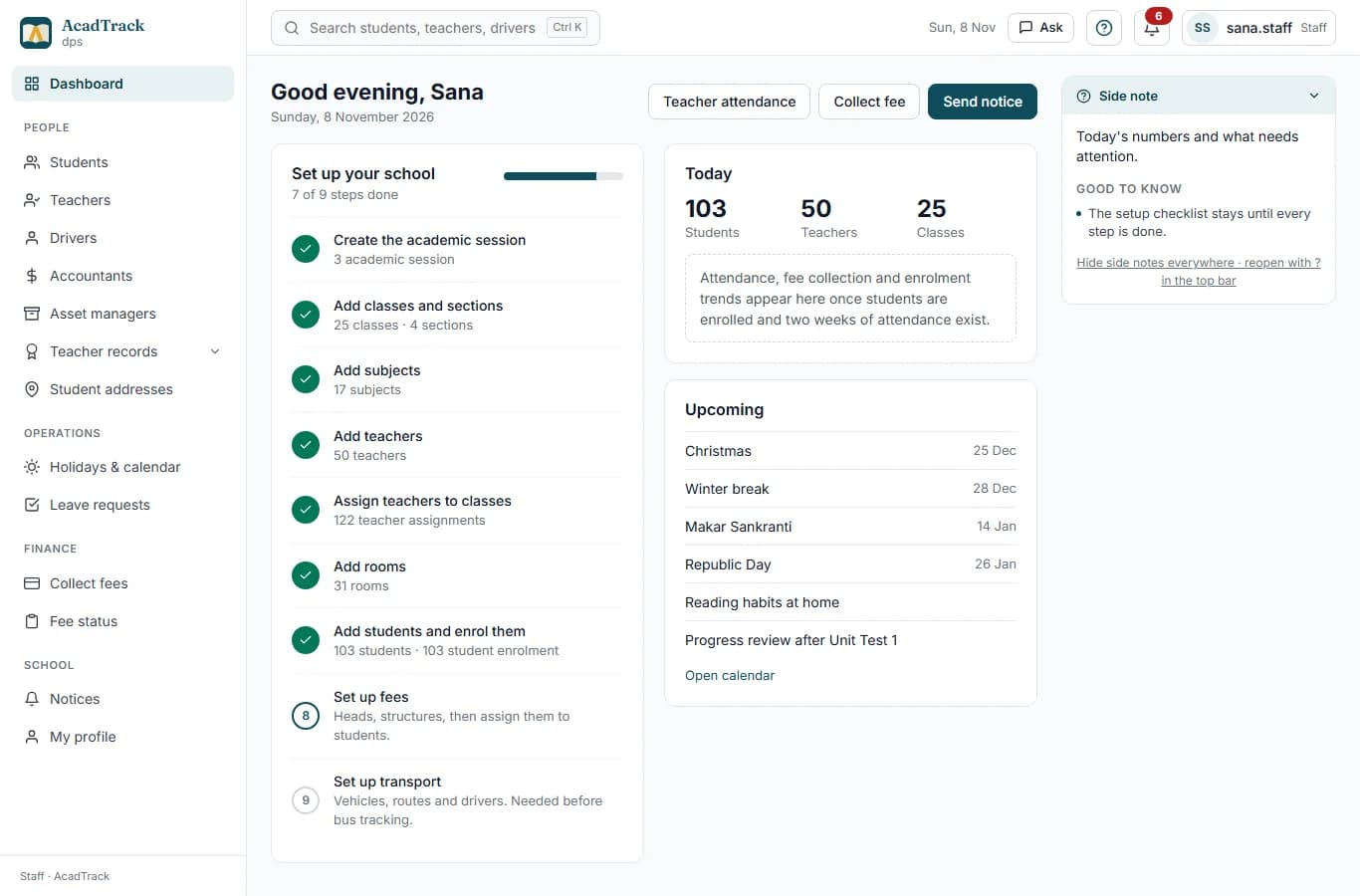
The AcadTrack office dashboard with today's attendance, fee collection, classes and notices
  • Web portal plus student-parent and driver apps
  • Each school on its own database, hosted in India
  • Set up in days, with your data imported
  • No credit card for the demo
  • Timetable builder
  • Daily attendance
  • Exam marks and results
  • Fee collection desk
  • Live bus location
  • Assignments and grading
  • Notices and inbox
  • Teacher assignments
  • Date sheets
  • Student-parent app
  • Asset register
  • Roles and permissions

AcadTrack in 60 seconds

From the office to the bus, in one minute.

The office, admissions, teachers, fees, the parent app and the driver app, filmed in a real school portal.

Two-minute tour

Six screens, the way a school day runs.

Real screens from the demo school. The tour moves on its own; pick a stop to jump.

yourschool.acadtrack.com/staff/create-timetable
Build a timetable in one sitting

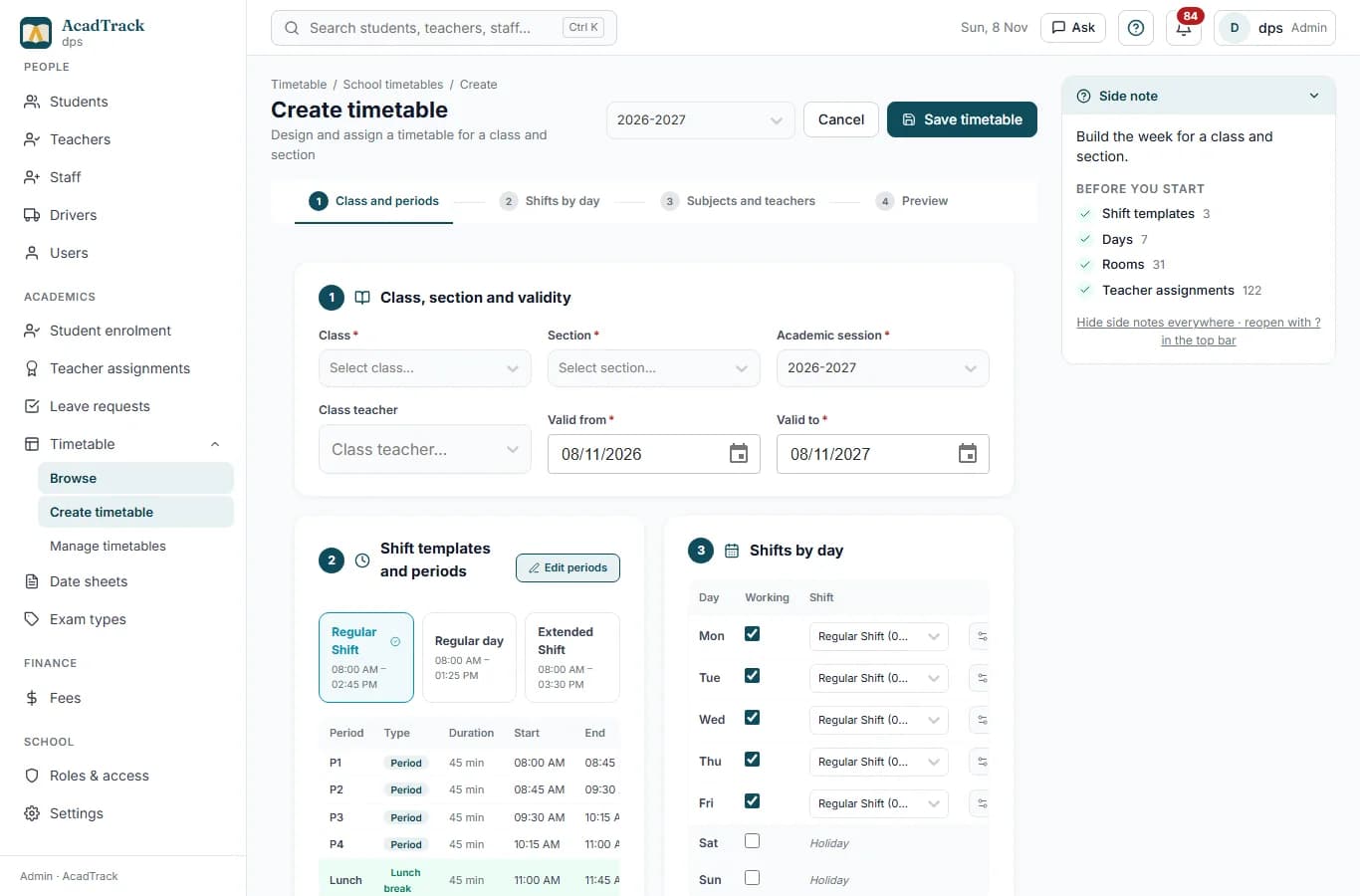
Build a timetable in one sitting

Pick a shift template, tick the working days, drop subjects into periods. The editor suggests the teachers the office assigned to that subject in that class.

For every role

One system, a view for each person in the school.

Pick a role to see what they get. Every screen below is the product as it runs today.

Office and admin

The office runs the school from one dashboard.

Sessions, classes, people, timetables, fees, exams, transport and notices, each on its own page, all reading one set of records.

  • Student admission and class enrolment
  • Teacher, accountant, asset-manager and driver accounts with role-based access
  • Teacher assignments: who teaches which subject in which class
  • Timetable builder with shift templates, rooms and teacher suggestions
  • Holidays and calendar, notices to a class or the whole school
  • Leave requests from students, approved with a note
  • Exams, date sheets, grade bands, results generation and publishing
  • Fee heads, structures, due dates, concessions and collection
  • Fleet, routes, stops and driver-vehicle assignments
  • Staff accounts, roles and permissions
yourschool.acadtrack.com/staff/create-timetable

The timetable builder with a shift template, working days and the subjects-and-teachers grid
Teachers

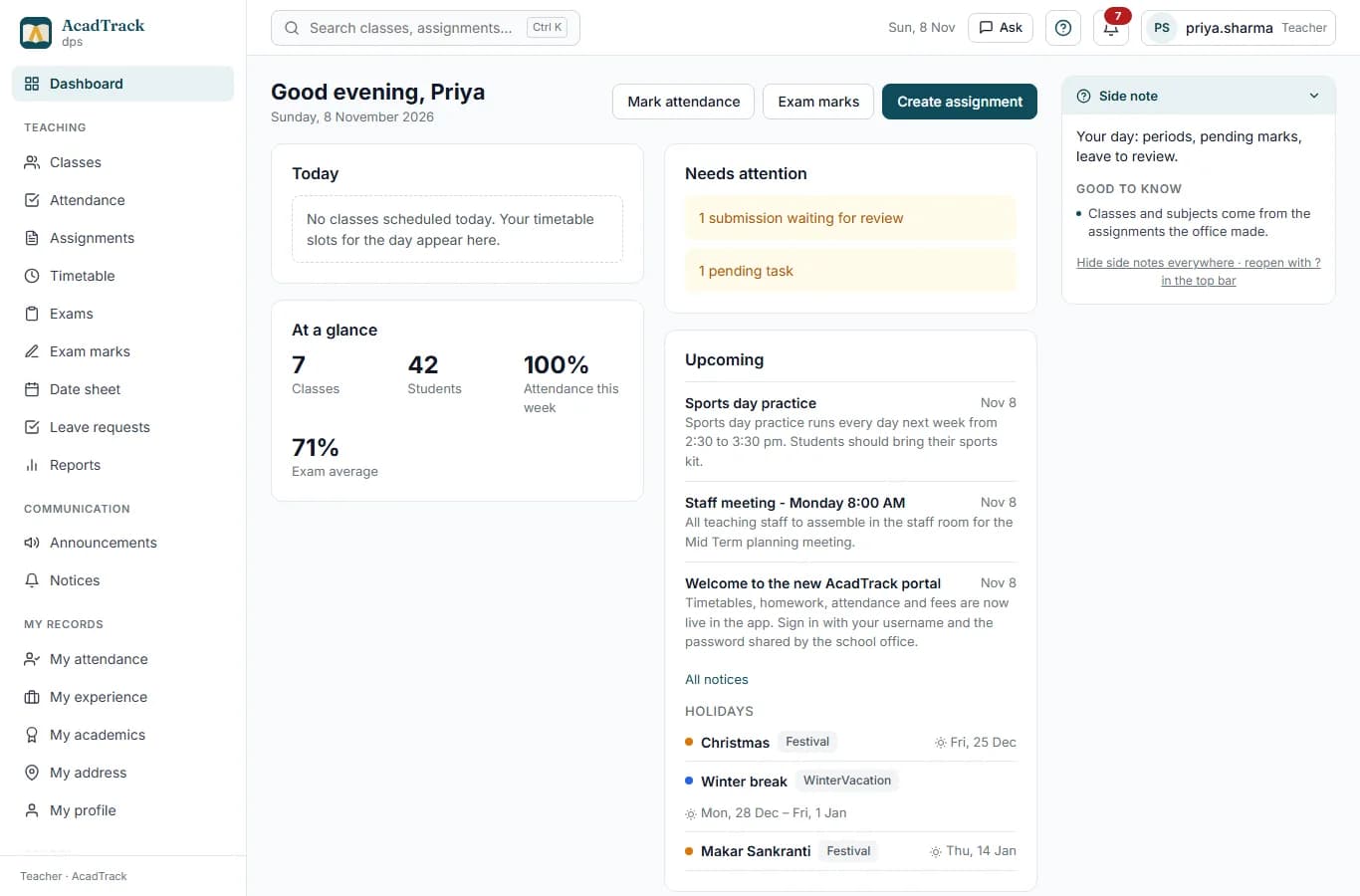
Teachers see only their classes, and everything about them.

The office assigns a teacher to a subject and a class once. Their classes, attendance roster, exam papers and leave requests follow from that.

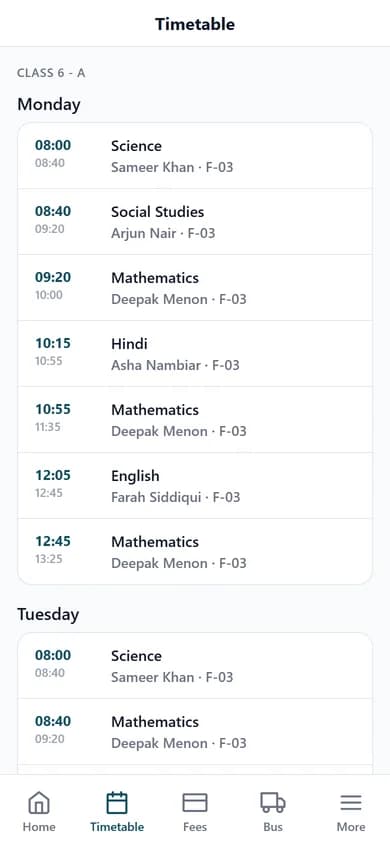
  • Today’s schedule and the weekly timetable with rooms
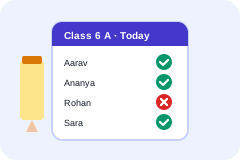
  • Attendance for each class, one tap per student
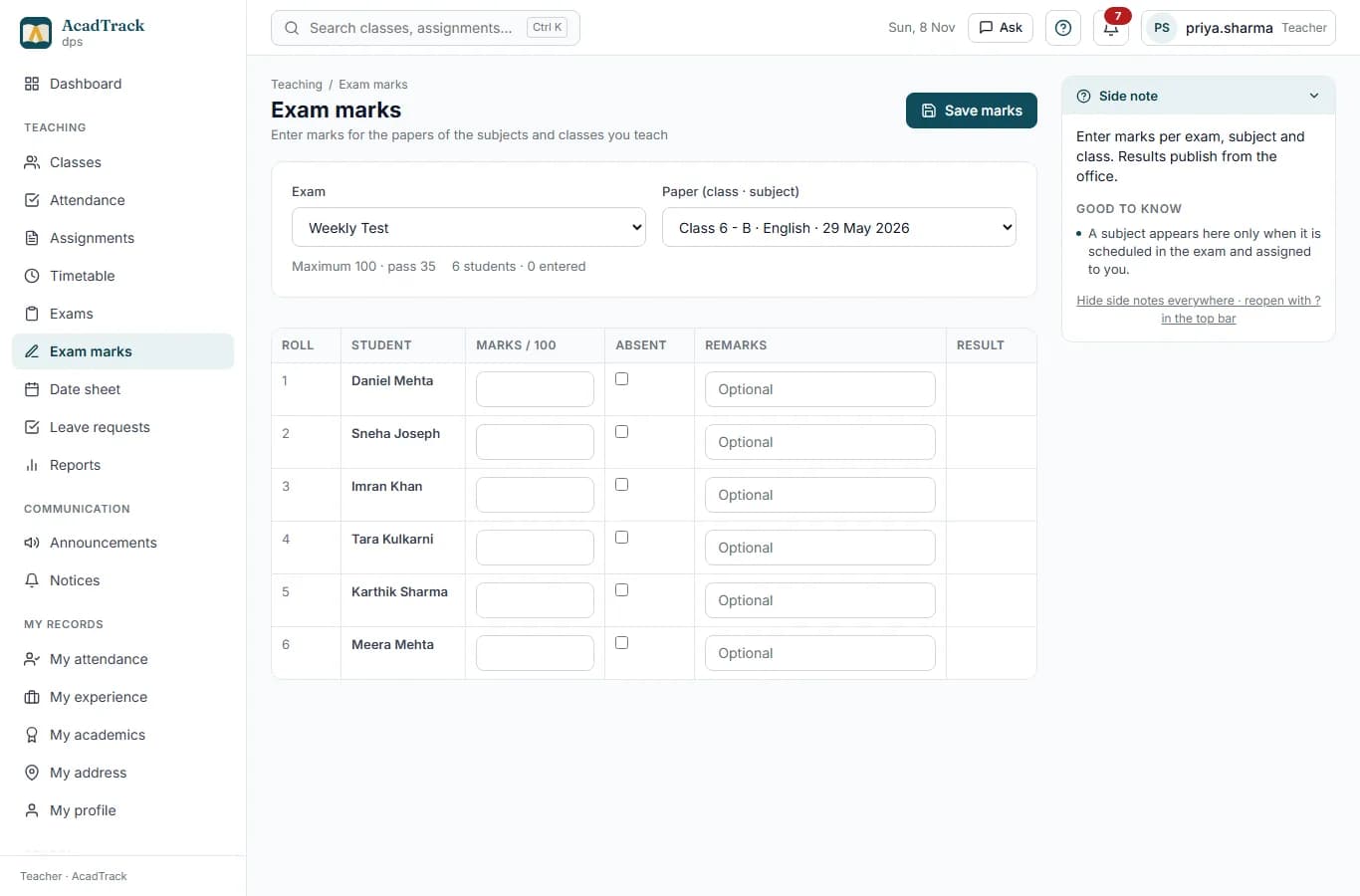
  • Exam marks entry for the papers of their own subjects
  • Assignment builder: questions, marks, attachments, class or student targets
  • Submissions to review and grade, with feedback
  • Leave requests from students in their classes
  • Announcements to their classes and the school notice inbox
  • Their own attendance, qualifications, experience and address records
yourschool.acadtrack.com/teacher/marks
Exam marks entry for a class with pass and fail shown per student
Students and parents

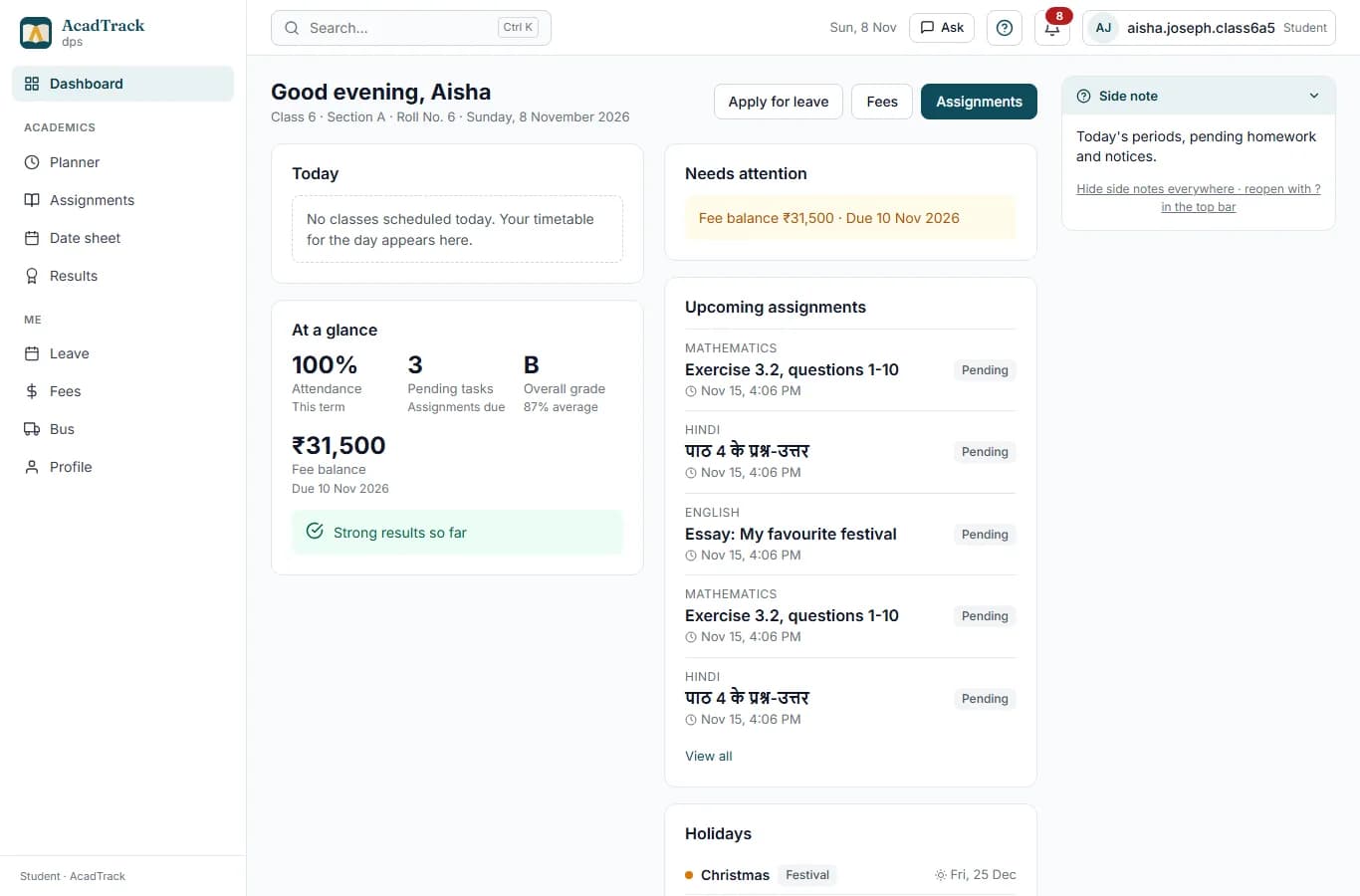
Students and parents get the portal and the app.

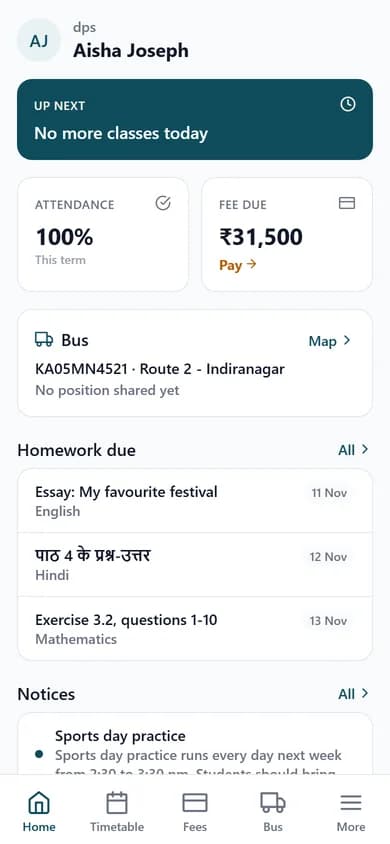
The same timetable, attendance, fees, results, notices and bus the office sees, on the web and in the student-parent app.

  • Today’s classes and a day, week or month planner
  • Attendance rate and class position on the dashboard
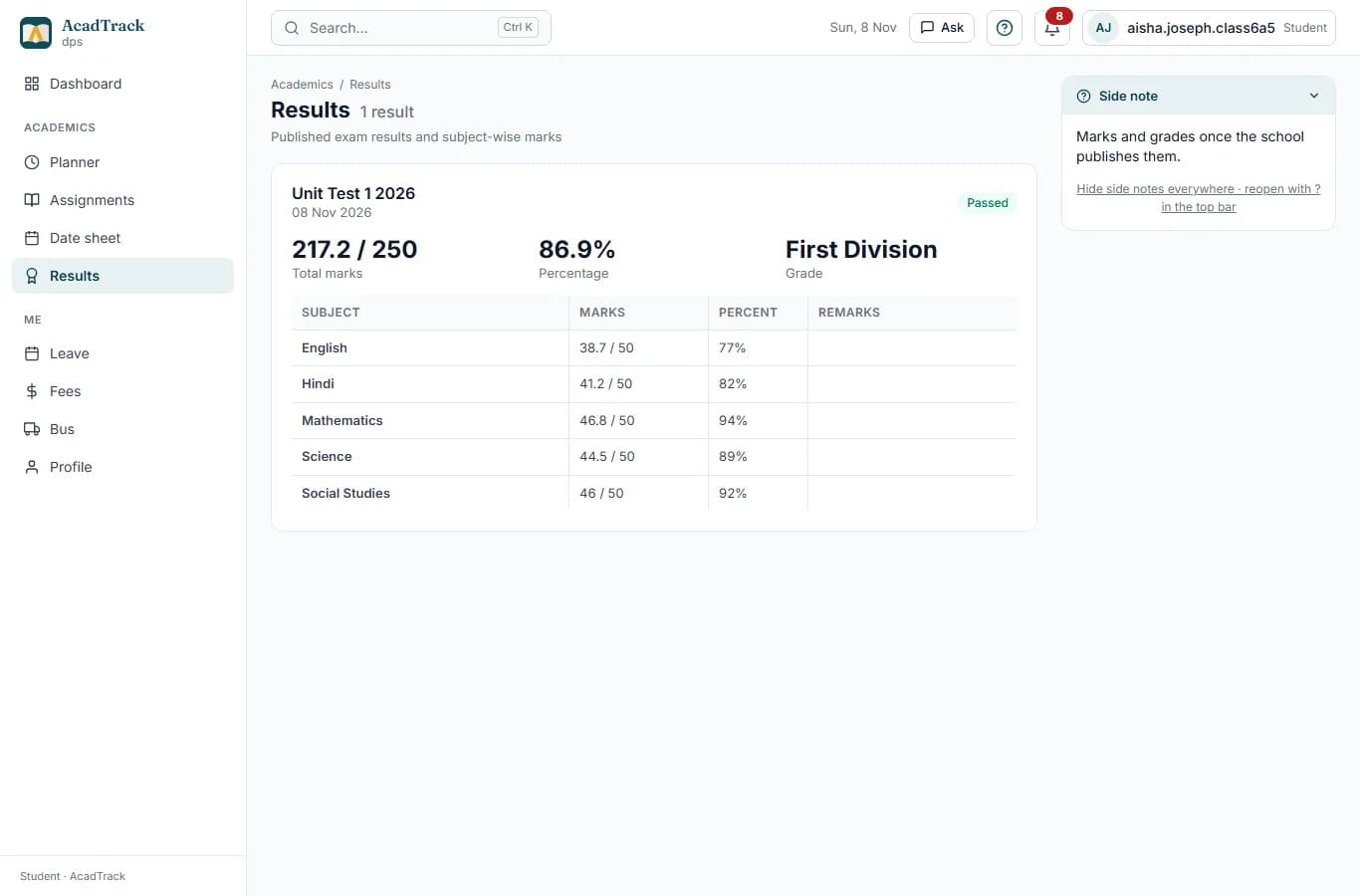
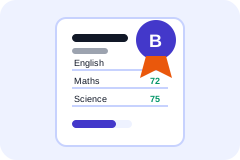
  • Published results with subject-wise marks and the grade
  • Assignments to do, submission with attachments, grade and feedback
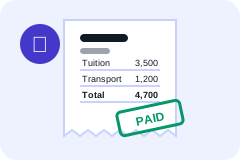
  • Fee dues, paid receipts and the outstanding balance
  • Leave application and the decision with the office’s note
  • Bus route, stop and live location
  • Notices and announcements with read receipts
yourschool.acadtrack.com/student/results
A student result card with total marks, percentage, grade and subject-wise marks
Accountant

The accountant collects, receipts and reports.

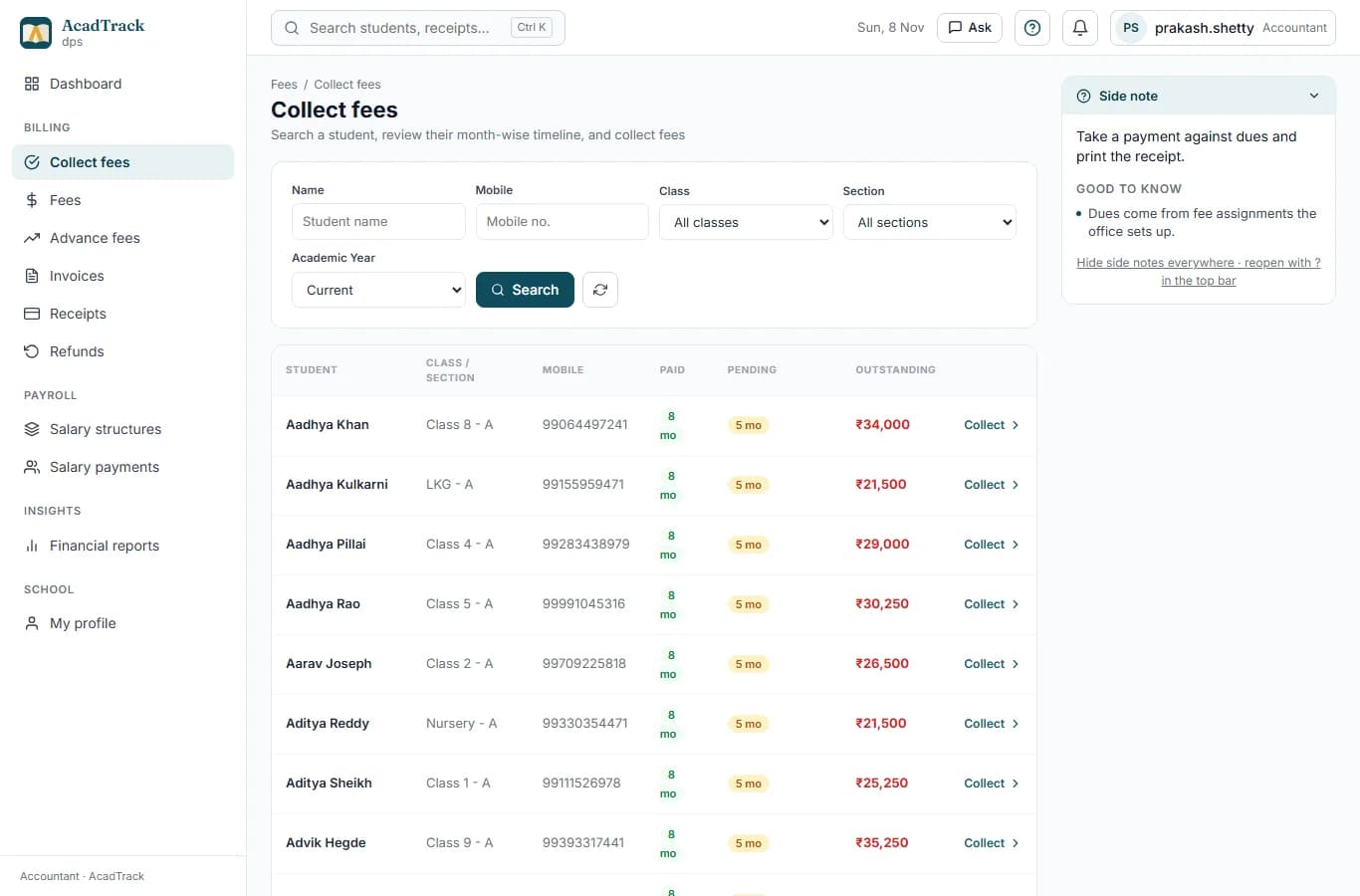
Dues are generated per student from the fee structure; collection updates the student’s balance, the receipts and the office dashboard.

  • Collection desk: search a student, pick dues, record cash or transfer
  • Advance payments and credit
  • Invoices and receipts
  • Concessions and late fees per class due-date rule
  • Fee status across classes and sections
  • Salary structures and payments for staff
yourschool.acadtrack.com/accountant/collect-fees
The fee collection desk with a student search and dues to collect
Transport

Buses, routes and a driver app that shares its location.

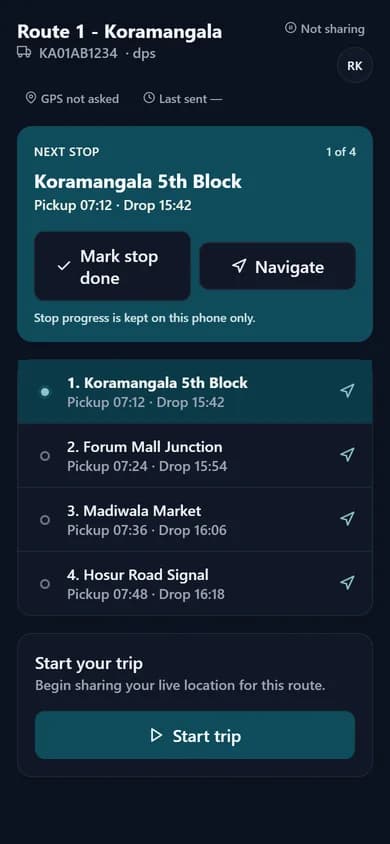
The office keeps the fleet; the driver app shows the route and sends the bus position; parents see it on the bus page.

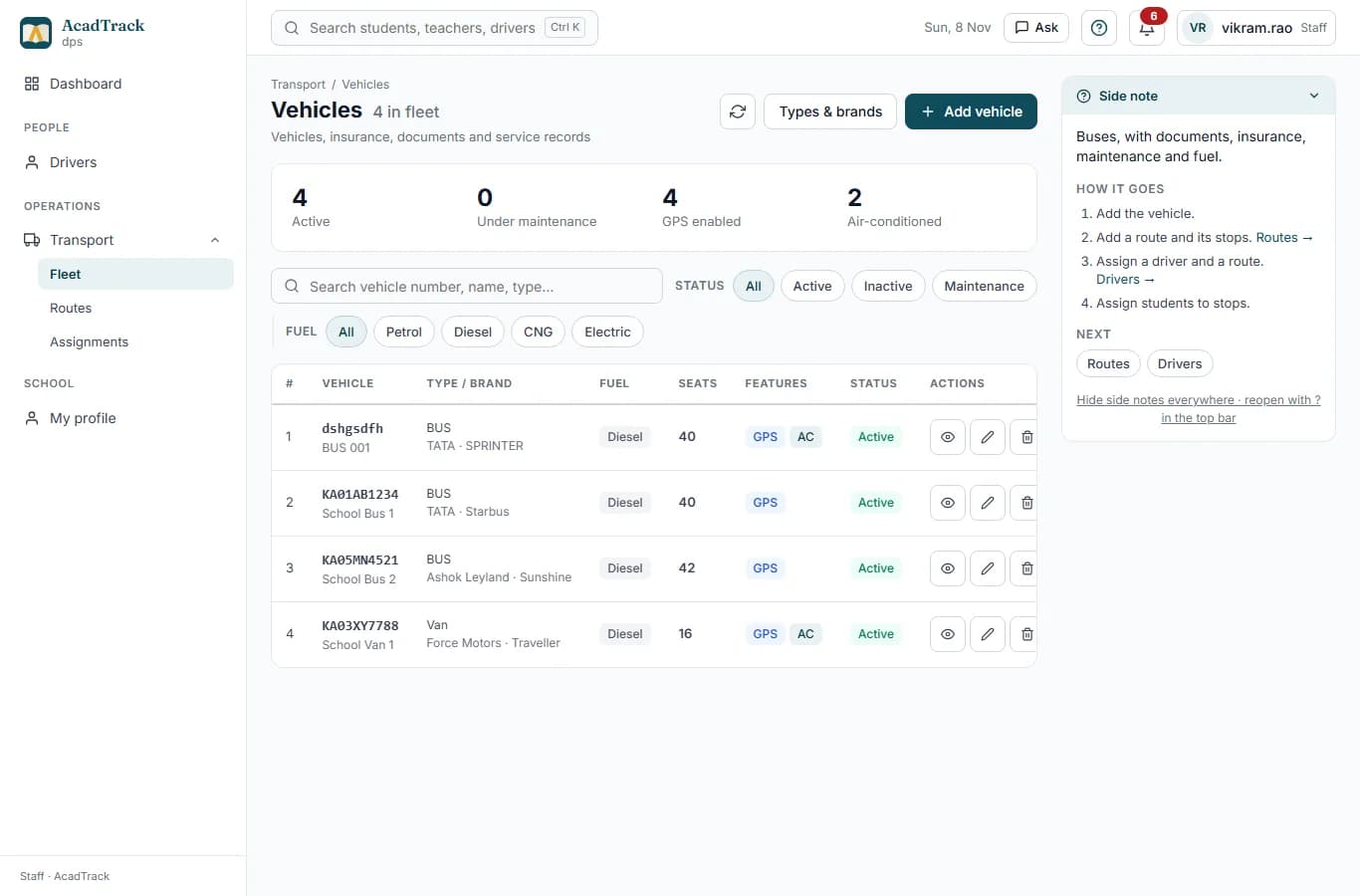
  • Vehicles with insurance, documents, maintenance and fuel logs
  • Routes with stops, vehicle-route and driver-vehicle assignments
  • Students assigned to a route and stop
  • Driver app: today’s vehicle and route, start trip, live position
  • Live bus location on the student portal and app
yourschool.acadtrack.com/staff/vehicles
The fleet page with a vehicle, its type, fuel and status
Asset manager

What the school owns, where it is, and who holds it.

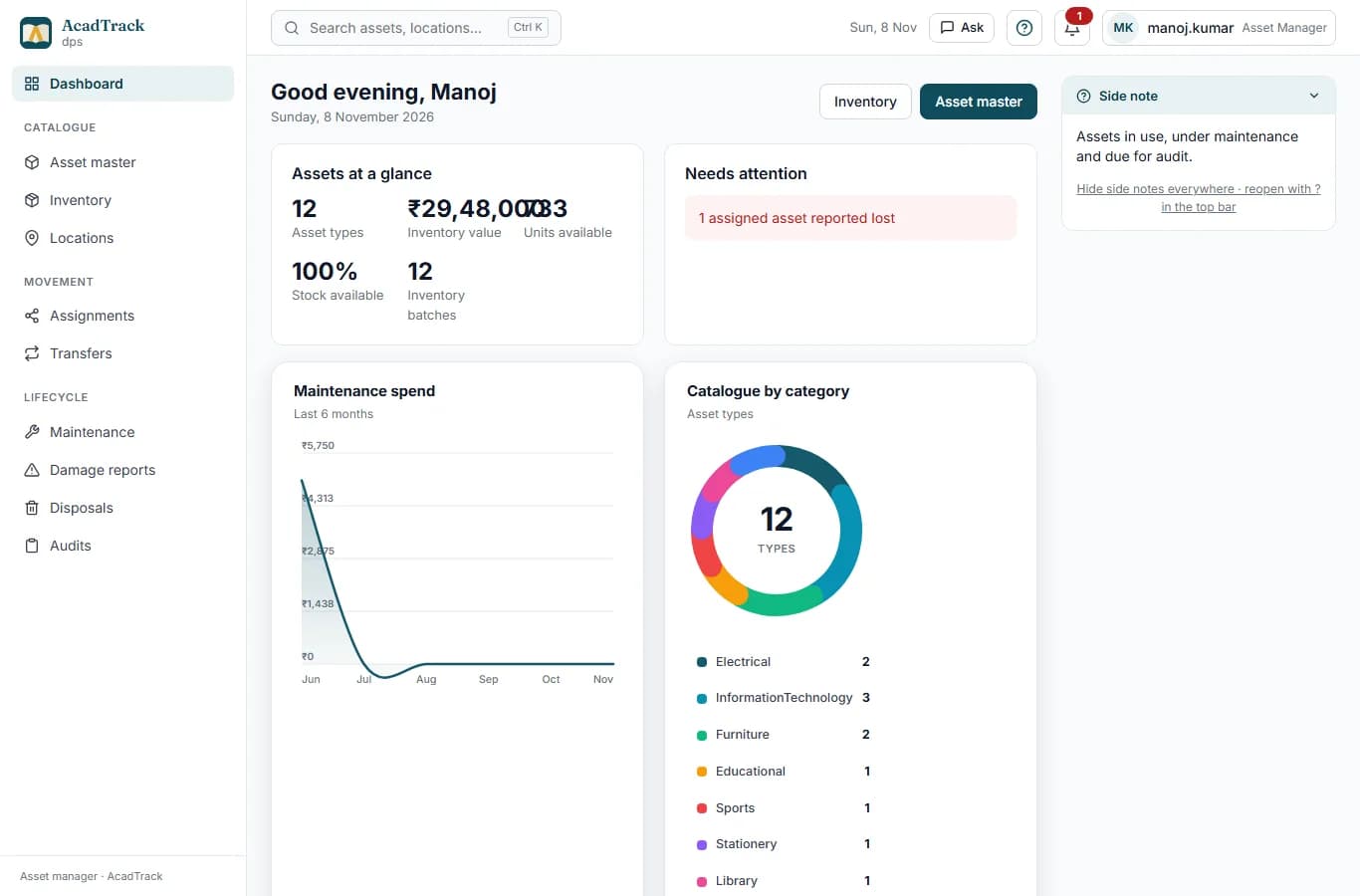
An asset register with locations, assignments, transfers, maintenance, damage reports, disposals and audits.

  • Asset master and inventory batches
  • Locations and custodians
  • Assignments and transfers between people and rooms
  • Maintenance, damage reports and disposals
  • Audits with a count against the register
yourschool.acadtrack.com/asset-manager/dashboard
The asset manager dashboard

How it fits together

Enter a thing once. Every screen that needs it follows.

There is no second place to type the same fact. Here is one chain the way it runs in the product.

  1. 1Office

    Assigns a teacher to a subject and a class

    One row on the Teacher assignments page. The timetable builder then suggests that teacher for that subject, and the students of the class are enrolled in it.

  2. 2Teacher

    Sees the class, marks attendance, enters marks

    The class appears under Classes and Attendance the same minute. When the office schedules an exam paper for that subject, it appears under Exam marks.

  3. 3Office

    Generates and publishes results

    Results are computed from the marks against the school’s own grade bands and published with one click.

  4. 4Student and parent

    See the result, the grade, the fees and the bus

    On the portal and in the app, with the dashboard grade, pending work and fee balance updated from the same records.

A year at school

Eight moments every Indian school knows, and the screen behind each one.

Photographs: Pexels. Credits

Modules

Everything the office, the staff room and the bus depot need.

Seven modules in one portal, sharing one set of students, staff and classes. Turn on what your school uses.

  • Academics

    Academic sessions, classes and sections, subjects, and a timetable builder.

  • Attendance

    Daily attendance by class, with records teachers and parents can see.

  • Fees

    Fee structures, dues, a collection desk for the accountant, and concessions.

  • Exams

    Date sheets, rooms, invigilators, and marks entry.

  • Transport

    Vehicles, routes, and a live bus view for parents.

  • Communication

    Notices, assignments, and an in-app inbox for staff, students and parents.

  • Assets

    A register of what the school owns, where it is, and who holds it.

  • Who uses it

    Admins, office staff, teachers, accountants, asset managers and students sign in to the web portal. Parents use the student-parent app; drivers use the driver app.

    View all modules

Everything inside

58 things the product does today. Nothing listed that is still on the roadmap.

Grouped the way the office thinks about them. Ask for any of these in the demo and we open that screen.

Academics

  • Academic sessions
  • Classes and sections
  • Subjects
  • Student enrolment with roll numbers
  • Teacher assignments (teacher × subject × class)
  • Shift templates and periods
  • Timetable builder with rooms
  • Timetable browse by class, teacher, room or student

Attendance and leave

  • Class attendance by date
  • Teacher attendance
  • Student leave application
  • Approve or reject with a note
  • Holidays and calendar
  • Weekly-off rules
  • Optional holiday requests

Exams and results

  • Exam types and grade bands
  • Exams mapped to classes
  • Date sheets with publishing
  • Rooms and invigilators
  • Exam attendance
  • Marks entry by the subject teacher
  • Results generated and published
  • Result card PDF

Fees and salaries

  • Fee heads and structures
  • Per-class due-date and late-fee rules
  • Monthly dues per student
  • Collection desk, advances and credit
  • Concessions
  • Invoices and receipts
  • Fee status by class
  • Salary structures and payments

Communication

  • Notices to a class, section or the school
  • In-app inbox with read receipts
  • Teacher announcements
  • Assignment builder with attachments
  • Submissions and grading
  • Email and SMS channels
  • App push for results and assignments

Transport and assets

  • Vehicles, insurance, documents
  • Maintenance and fuel logs
  • Routes and stops
  • Driver and vehicle assignments
  • Students on routes
  • Live bus position from the driver app
  • Asset register, locations, custodians
  • Transfers, maintenance, damage, audits

People and access

  • Students, teachers, drivers, accountants, asset managers
  • Addresses, qualifications and experience records
  • Document verification by the office
  • Roles and permissions
  • School branding on the sign-in page
  • Bulk upload from Excel

Platform

  • One database per school
  • Your own address: yourschool.acadtrack.com
  • Hosted in India
  • CSV export of your data
  • Super-admin console for groups
  • Email, storage and AI keys set by the platform, not by you

Why AcadTrack

Built for how Indian schools actually work.

Small offices, one person for fees, teachers who move between classes, a bus run by the school itself. The product follows that shape rather than a corporate one.

A young student pointing to a map of India in class
  • Made for non-technical staff

    Plain screens, plain words. The office can run it without an IT person on call.

  • Each school on its own database

    Your records sit in a database that only your school uses, hosted in India.

  • Your own address

    Staff and students sign in at yourschool.acadtrack.com, not a shared login page.

  • Apps that read the same records

    A student-parent app and a driver app, same data as the portal, no second system to keep in sync.

  • 0

    modules in one portal

  • 0

    roles, each with its own view

  • 0

    apps that read the same records

  • 0

    database per school, in India

Pricing

One price per school. No per-student maths.

Start free with up to 100 students. Every module, unlimited students, for one flat monthly fee.

  • Starter

    Free

    up to 100 students

    • Up to 100 students
    • Academics, attendance and communication
    • Own database and subdomain
    • Email support
  • Standard

    Most schools

    ₹999

    per month, per school

    • Everything in Starter
    • Fees, exams, transport and assets
    • Unlimited students and staff
    • Priority email support
  • Enterprise

    Custom

    school groups and trusts

    • Everything in Standard
    • Multiple schools, each on its own database
    • Assisted data import and training
    • Custom agreement and invoicing

Full detail on the pricing page. Prices exclude GST.

Questions

The ones schools ask first.

More on the FAQ page, or ask during the demo.

How long does setup take?

Days. We create your school on its own database and address, import classes, students and staff from a spreadsheet, and walk the office through the first week.

Is there a mobile app?

Yes. A student-parent app (timetable, attendance, fees, results, notices, leave, live bus) and a driver app (route and live position). Both read the same records as the portal.

Can several schools in a trust use it?

Each school runs on its own database and address. A group is set up as several schools under one Enterprise agreement.

Where is our data kept?

In India, in a database only your school uses. You can export it to CSV at any time.

What does it cost?

Starter is free up to 100 students. Standard is one flat monthly fee per school with every module and no student cap.

Book a demo

See AcadTrack with your school in mind.

Pick a day and a slot that suits you. We confirm the time by email within one business day and send a meeting link.

  • 30 minutes, on a video call

    We screen-share the real portal.

  • Bring your questions

    Fees, exams, transport: ask about your setup.

  • No obligation

    No credit card, no contract, no follow-up pressure.

Request a 30-minute demo

Weekdays only.

No credit card. We use these details only to arrange your demo.

Ready to see it with your own school?

A 30-minute walkthrough of the portal and the apps, with time for your questions.

See pricing